
Solstice customers assigned to dual bill solar farms are required to enter a payment method - either a bank account, credit card, or debit card. If you choose to enter a bank account, you will be required to verify the bank account.
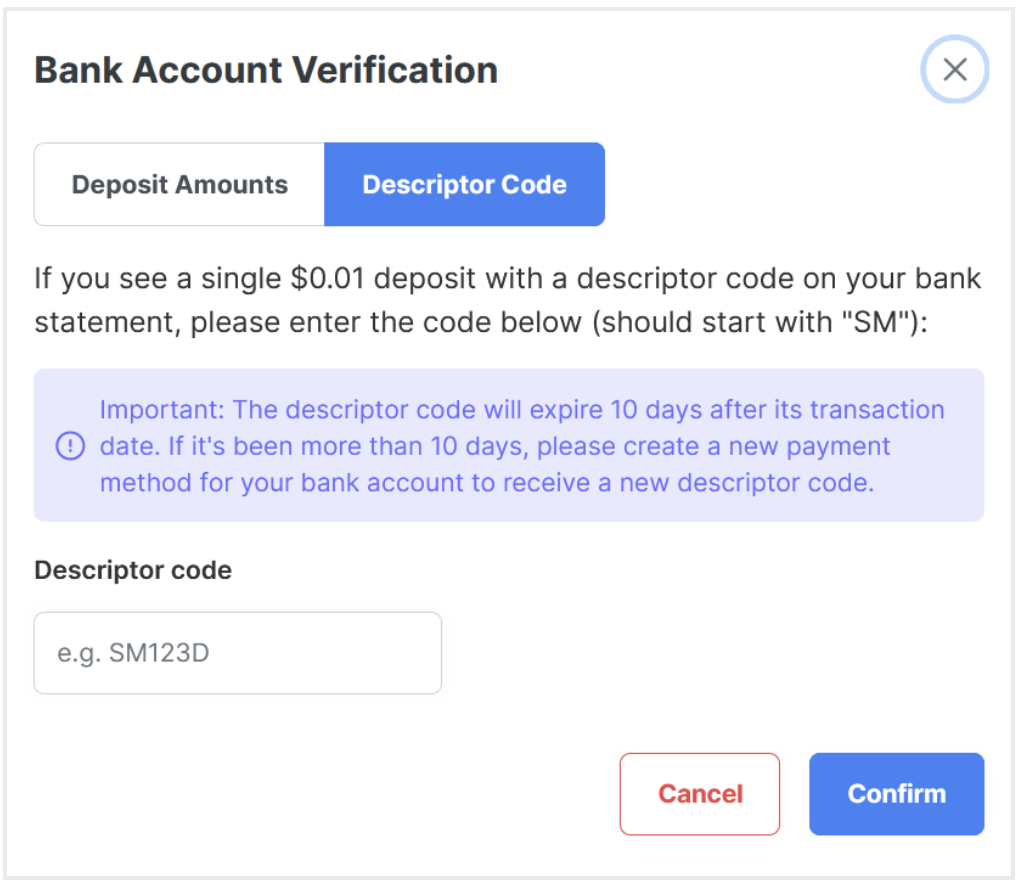
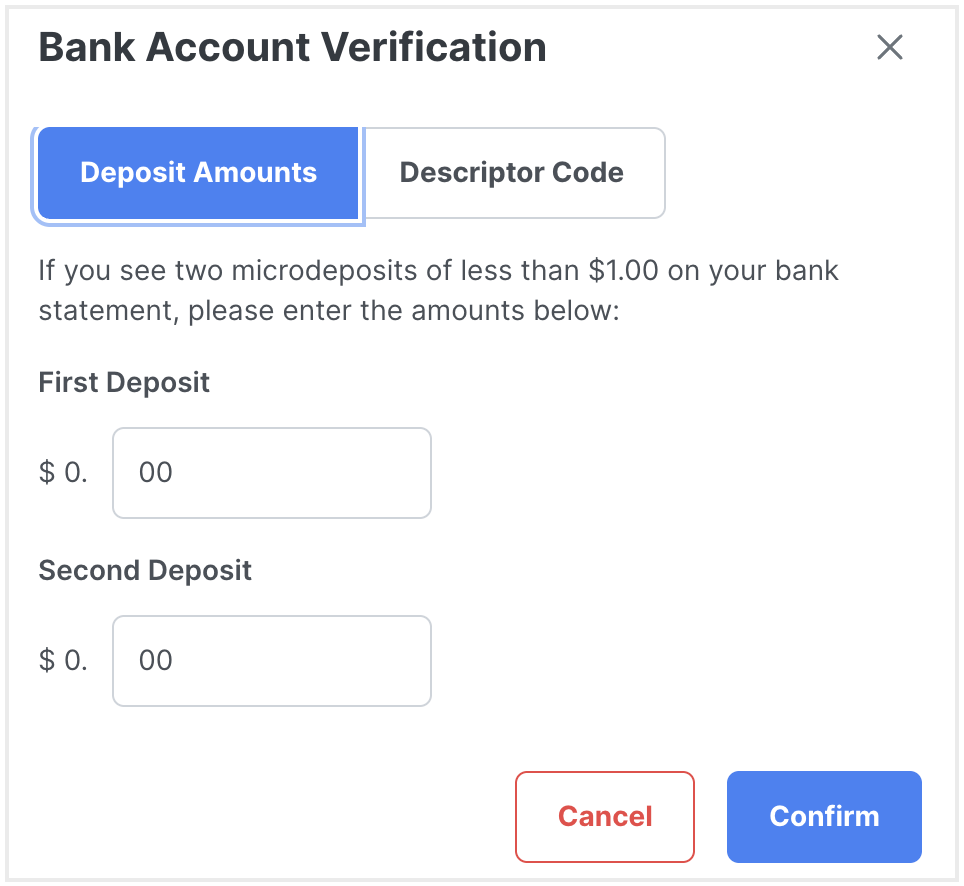
Within 1-3 days after adding your bank account to your Solstice account, you will either see a $0.01 deposit on your bank statement with a descriptor code starting with "SM" or you will see two microdeposit amounts that are less than $1.00 each.
To complete the verification process for your payment method in your Solstice account, follow these steps:
- Log in to your Solstice account.
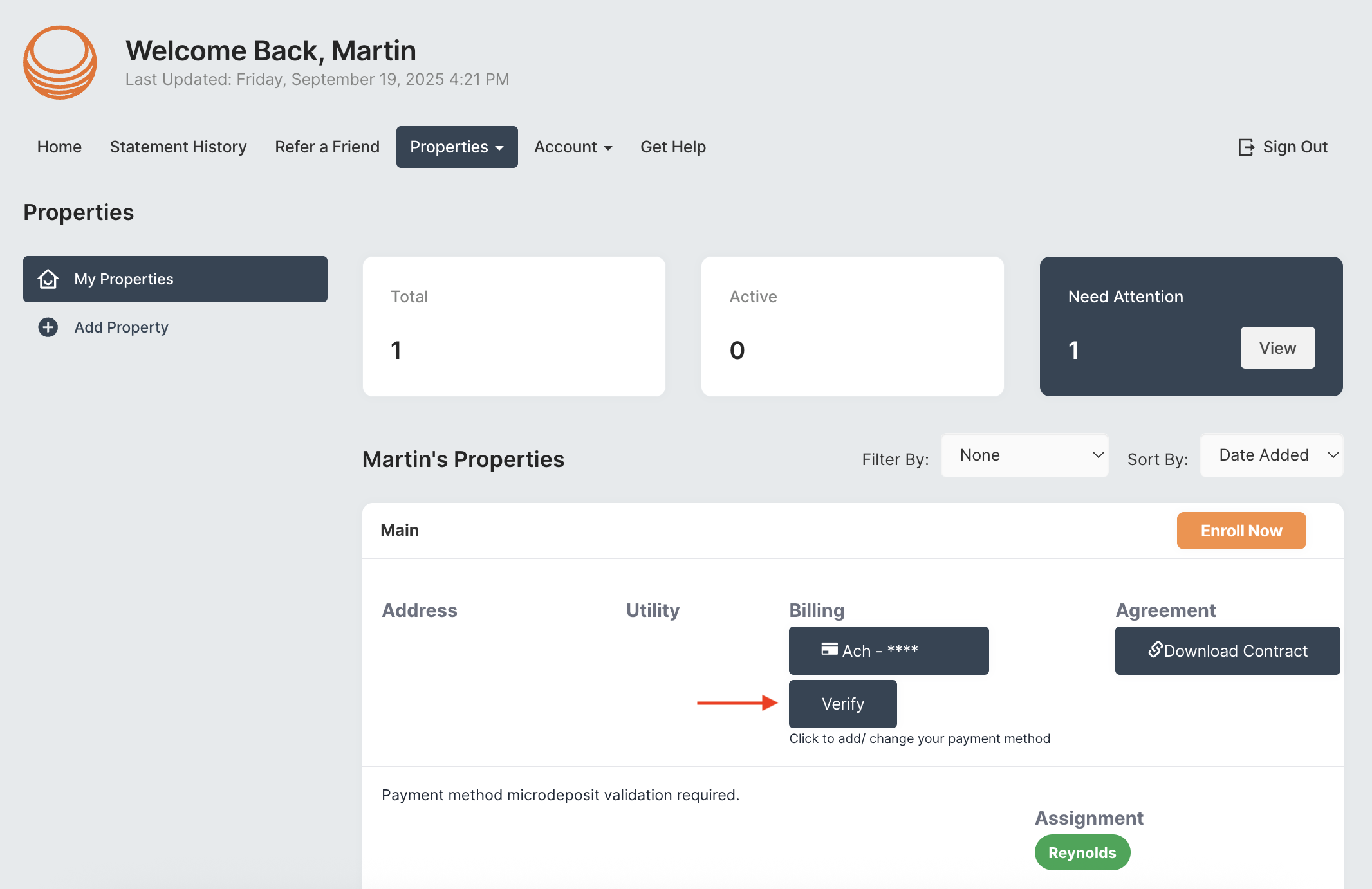
- In your Solstice account, click on the "properties" tab and head to the "my properties" section. To verify your bank account, click the "verify" button as pictured below.
- If your bank statement shows a $0.01 deposit with a descriptor code beginning with "SM", then you will need to input the full code - please note this code is only valid for 10 days. If your bank statement shows two microdeposit amounts less than $1.00 each, then you will need to enter the two amounts.
- If the code or the two amounts you entered are accurate, you should see that your bank account has been successfully verified. If there is any issue, please contact us at support@solstice.us or 845-853-0768.