
Soon after you're fully enrolled and your share of a community solar farm begins producing energy, you begin receiving solar credits on your monthly PNM bills. Each credit is applied as a deduction and lowers your electric costs!
You'll find the total credit applied as a negative dollar amount in the line item titled "Community Solar Credit" at the top of your bill. It will also be listed at the bottom of your "Billing Details" section, which includes details like your solar farm name, the solar production service period, kWh produced and applied, community solar service credits, and small administrative fees.
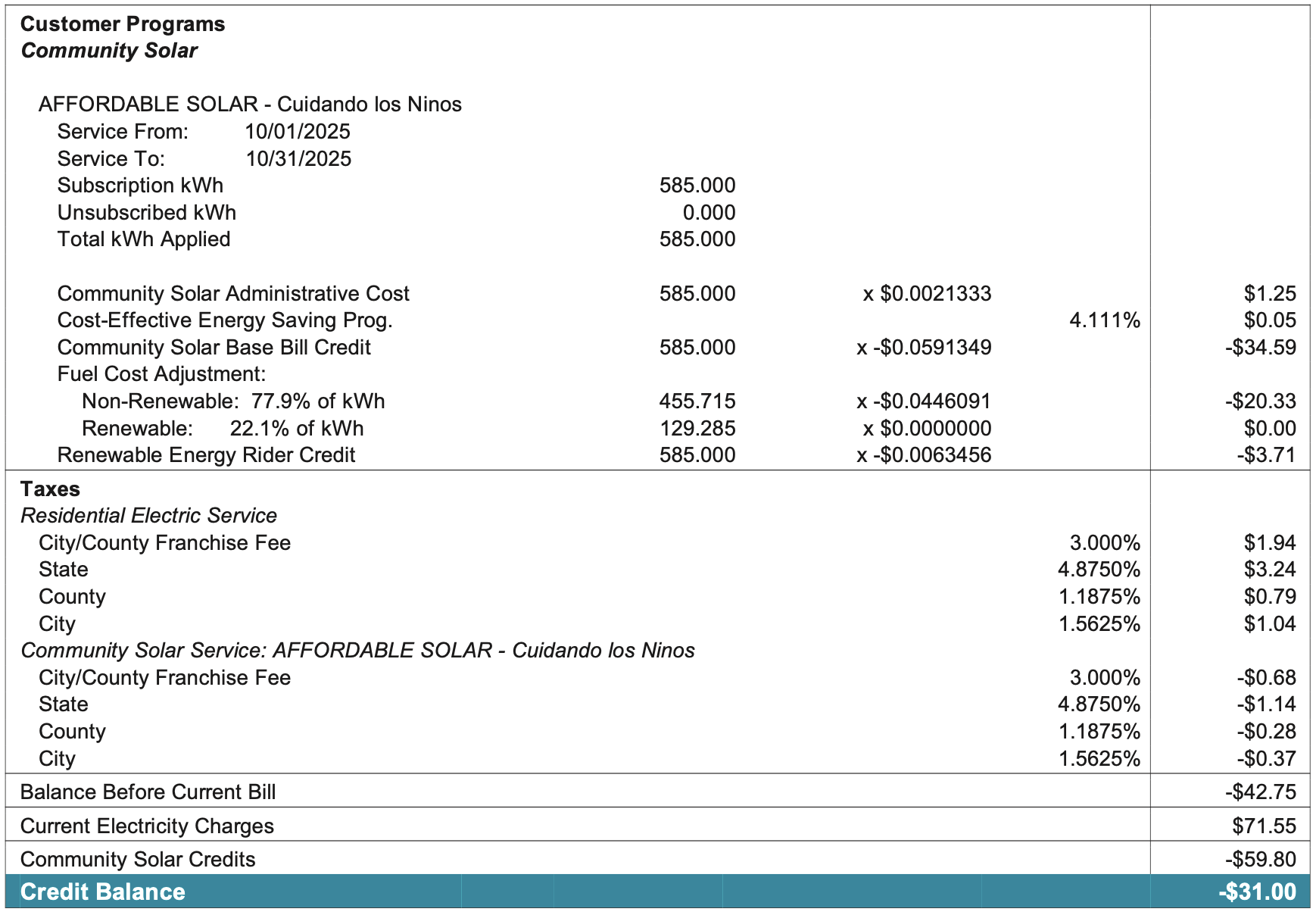
In the sample bill above, the total community solar credit applied was -$59.80.
About 1-2 months after each community solar credit has been applied to your utility bill, Solstice will email you an invoice. As a reminder, you pay Solstice at a fixed discount for each credit you receive.
If you have any questions, please don't hesitate to reach out to us at support@solstice.us or 845-853-0768.